RESEARCH / 3D
Change the shape. Keep the intent.
Dimensions, constraints and relationships explain why a shape exists. Explore editable design structures beneath visible triangles, so a model can keep evolving.
Research question
What separates editing a shape from continuing a design?
Design stance
A finished object is only one moment in a design. Change a dimension, rearrange a part, then understand what changed. Keep the reasons for a shape in its source, and let presentation and geometric correctness answer different questions.
Research themes and projects
Lines connect research themes to the projects exploring them. Select a project to read more.
- Editable design intentParameters · Constraints · B-rep
- Spatial authoringSource · Mesh · RealityKit
- From form to motion and forcesBodies · Joints · Constraints
Technical investigations
Parametric CAD / B-rep
Parameters, sketches, constraints and feature history form the editable authority. B-rep relates faces, edges, vertices and geometry; triangle meshes are derived. The research asks how units and topology remain meaningful as a model is reevaluated.
Read the primary design
swift-CAD · README.md ↗Source / Mesh / RealityKit
Rupa separates project/source mutation from RealityKit presentation and picking. swift-mechanics studies relationships between bodies and joints. Visible geometry, editable geometry and a physical model each need their own validation.
The research thread
Rupa provides a spatial authoring environment; swift-CAD carries parameters and feature history. swift-mechanics studies bodies, joints and motion. Together these research directions connect editing a form with understanding its consequences.
RESEARCH / 3D
Projects in this field
Open a project to explore its purpose, design choices and architecture.
The animated visual could not be displayed.
CAD / SPATIAL AUTHORING01
RupaBring an idea into reach.
Dimensions, parts, placement. Turn an imagined form into a space you can edit and inspect.
Swift · CAD · RealityKit
Explore the system
The animated visual could not be displayed.
Bring an idea into reach.
Dimensions, parts, placement. Turn an imagined form into a space you can edit and inspect.
Swift · CAD · RealityKitBring an idea into reach.
Dimensions, parts, placement. Turn an imagined form into a space you can edit and inspect.
Different ways of working. One evolving design.
In CAD (computer-aided design), editable design data matters beyond the shape on screen. Rupa routes human UI actions and AI-agent CLI/MCP actions through the same project boundary for editing, history and saving. Geometry belongs to swift-CAD and presentation to RealityKit, keeping one authoritative design across different ways of working.
Read the source · DESIGN.md ↗Behind the experience
Select a node to read its role.
The app supplies task and input
- Native UI→ProjectAccessData / execution
- CLI / MCP→ProjectAccessData / execution
- ProjectAccess→ProjectWorkspaceData / execution
- ProjectWorkspace→SwiftCADUses / depends on
- SwiftCAD→ProjectWorkspaceResult / response
- ProjectWorkspace→RealityKit viewportData / execution
UI and authenticated CLI/MCP share one project authority. Editable models feed SwiftCAD; derived presentation data is rendered through RealityKit.
Think through an idea by shaping it.
Look at an idea, change it and inspect it again. By connecting the editable model to its visible form, Rupa aims to make shaping things part of thinking them through.

The image could not load. The experience is described below.
An AI-generated imagined use scenario, not an actual customer or product screen.
The animated visual could not be displayed.
PARAMETRIC CAD / B-REP02
swift-CADChange the shape. Keep the intent.
Keep dimensions, constraints and construction history in the model. Preserve editable reasons behind the visible triangles.
Swift · Parametric CAD · B-rep · Constraints
Explore the system
The animated visual could not be displayed.
Change the shape. Keep the intent.
Keep dimensions, constraints and construction history in the model. Preserve editable reasons behind the visible triangles.
Swift · Parametric CAD · B-rep · ConstraintsChange the shape. Keep the intent.
Keep dimensions, constraints and construction history in the model. Preserve editable reasons behind the visible triangles.
Keep the reasons behind the triangles.
Parametric CAD keeps its source of truth in dimensions, sketch constraints and feature history, rather than a display mesh. The geometry kernel evaluates B-rep (boundary representation) geometry and topology; tessellation derives triangles for display. Separating visible shape from editable design provides a foundation for returning to design intent when conditions change.
Read the source · README.md ↗Behind the experience
Select a node to read its role.
Own dimensions, constraints and history
- CADDocument→CADKernelData / execution
- CADKernel→B-rep / MeshData / execution
- B-rep / Mesh→Consuming appData / execution
- B-rep / Mesh→CADExchangeOptional path
CADKernel evaluates CADDocument parameters, sketches and feature history. B-rep and meshes are derived results; exchange formats are a separate boundary.
Design intent becomes a starting point for change.
When dimensions or constraints change, return to the reasoning behind the shape. Retained parameters, constraints and feature history let a design evolve through successive iterations.

The image could not load. The experience is described below.
An AI-generated imagined use scenario, not an actual customer or product screen.
The animated visual could not be displayed.
KINEMATICS / DYNAMICS03
swift-mechanicsAfter shape comes motion.
Read motion and forces from relationships between bodies and joints. Grow a runtime for exploring mechanisms.
Swift · Kinematics · Multibody dynamics
Explore the system
The animated visual could not be displayed.
After shape comes motion.
Read motion and forces from relationships between bodies and joints. Grow a runtime for exploring mechanisms.
Swift · Kinematics · Multibody dynamicsAfter shape comes motion.
Read motion and forces from relationships between bodies and joints. Grow a runtime for exploring mechanisms.
A mechanism must become an admissible model.
In kinematics and multibody dynamics, a part hierarchy differs from the graph that transmits forces. Rigid bodies, joints, constraints and force laws have distinct meanings; units and connections are checked during compilation before reaching the runtime model. Constructing a declaration is separate from admitting a physical analysis model. Higher-level notation and analysis coverage still include development targets.
Read the source · README.md ↗Behind the experience
Select a node to read its role.
Record relationships of bodies and joints
- Body / Joint→Bounded loweringData / execution
- Bounded lowering→CompiledModelData / execution
- CompiledModel→Runtime evolutionData / execution
- Runtime evolution→Analysis appData / execution
Body and Joint records pass through bounded lowering into a compiled model and runtime evolution. Motion and diagnostics are separate from geometry.
Judge a mechanism by how it moves.
After defining a shape, consider how forces travel and parts move together. This runtime is being developed so mechanism choices can be explored through their motion and force behavior.
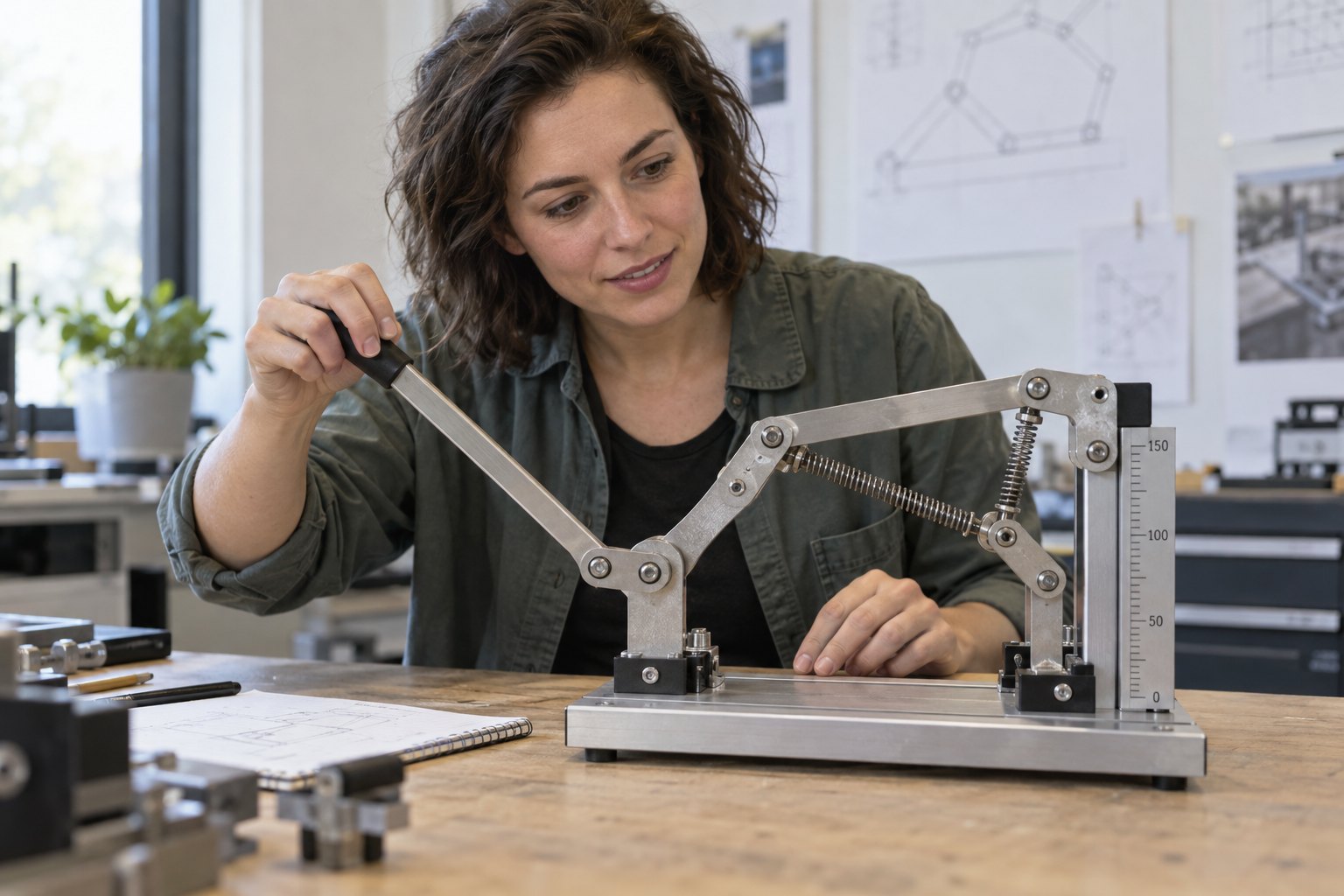
The image could not load. The experience is described below.
An AI-generated imagined use scenario, not an actual customer or product screen.
ENGINEERING NOTES